
Anúncios
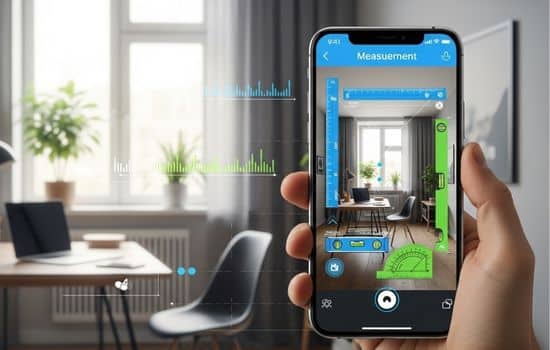
Modern smartphones have transformed into versatile measurement tools, offering precision and convenience right in your pocket for everyday tasks.

Gone are the days when you needed to carry a physical tape measure, ruler, or protractor for simple measurement tasks. Today’s smartphone technology has evolved to include sophisticated sensors and augmented reality capabilities that turn your mobile device into a powerful measuring instrument. Whether you’re a DIY enthusiast, a professional contractor, an interior designer, or simply someone who needs quick measurements around the house, mobile measurement apps have become indispensable tools.
Anúncios
The beauty of these applications lies in their accessibility and versatility. With just a few taps, you can measure distances, angles, heights, surface areas, and even create detailed floor plans. The technology behind these apps combines your phone’s camera, gyroscope, accelerometer, and advanced algorithms to deliver surprisingly accurate results that rival traditional measuring tools in many scenarios.
📱 How Mobile Measurement Apps Actually Work
Understanding the technology behind measurement apps helps you appreciate their capabilities and limitations. Most modern smartphones come equipped with multiple sensors that work together to create accurate measurements. The camera serves as the primary input device, capturing visual information that software algorithms process to calculate distances and dimensions.
Anúncios
Augmented reality (AR) technology plays a crucial role in many measurement applications. AR frameworks like Apple’s ARKit and Google’s ARCore use a technique called SLAM (Simultaneous Localization and Mapping) to understand the three-dimensional space around your device. As you move your phone, these systems create a virtual map of your environment, identifying surfaces, edges, and reference points.
The gyroscope and accelerometer provide orientation data, allowing the app to understand how your phone is positioned in space. This information is essential for calculating accurate angles and maintaining measurement stability as you move. Combined with image processing algorithms, these sensors enable your phone to recognize surfaces, detect corners, and establish reference points for measurement.
🎯 Key Features to Look for in Measurement Apps
Not all measurement apps are created equal, and understanding which features matter most can help you choose the right tool for your needs. The best applications offer a combination of functionality, accuracy, and user-friendly interfaces that make measuring tasks effortless.
Distance measurement is the most fundamental feature, allowing you to measure straight lines between two points in your environment. Look for apps that provide real-time feedback as you move your phone, showing the measurement dynamically updating on your screen. Advanced apps also offer continuous measurement modes, letting you measure multiple segments in sequence to calculate total distances.
Area calculation becomes incredibly useful when planning furniture placement, estimating paint requirements, or calculating flooring needs. The best apps allow you to outline irregular shapes by tapping multiple points, automatically calculating the enclosed area. Some applications even provide volume measurements for three-dimensional spaces, perfect for moving estimates or storage planning.
Height measurement capabilities leverage your phone’s ability to detect horizontal planes and calculate vertical distances. This feature proves invaluable when you need to measure ceiling heights, doorways, or tall objects without climbing a ladder. The most sophisticated apps can measure heights even when you can’t position your phone at the base of the object.
✨ Popular Types of Mobile Measurement Applications
The measurement app ecosystem includes specialized tools designed for different purposes and user needs. Understanding these categories helps you select the right application for your specific requirements.
General-purpose measurement apps provide versatile functionality for everyday measuring tasks. These applications typically include distance, area, and angle measurements in a single package. They’re perfect for homeowners, renters, and casual users who need occasional measurements without specialized features. The interfaces are usually straightforward, making them accessible even for those with limited technical expertise.
Professional-grade applications cater to contractors, architects, and real estate professionals who require higher accuracy and advanced features. These apps often include room scanning capabilities, automatic floor plan generation, and export options for CAD software. They may also offer measurement history, project organization, and collaboration features for team environments.
Specialized measurement tools focus on specific tasks like angle measurement, level detection, or object scanning. Spirit level apps use your phone’s sensors to replace traditional bubble levels, providing digital readouts for precise leveling tasks. Angle measurement apps help with woodworking, construction, and design projects where exact angles are critical.


🔧 Practical Applications for Everyday Life
Mobile measurement apps have transformed countless daily scenarios, making tasks that once required planning and special tools spontaneous and effortless. Understanding these practical applications helps you recognize opportunities to use your phone’s measuring capabilities.
Furniture shopping becomes stress-free when you can instantly measure available space in your home. Before purchasing that new sofa or dining table, use your measurement app to check dimensions and visualize how it will fit in your room. Many users also photograph the space with measurements overlaid, creating a visual reference they can review while shopping.
Home improvement projects benefit enormously from quick, accurate measurements. Whether you’re installing shelves, hanging pictures, or planning a renovation, your phone can provide the measurements you need without searching for a tape measure. Real-time measurement capabilities mean you can work more efficiently, reducing the back-and-forth of traditional measuring methods.
Real estate activities, including apartment hunting and property listing, become more informative with measurement apps. Prospective renters can measure rooms to ensure their furniture will fit, while landlords and agents can provide accurate floor plans and room dimensions to potential tenants. This transparency helps both parties make better decisions and reduces surprises on moving day.
Travel and accommodation planning also benefits from mobile measurement technology. When booking vacation rentals, you can measure luggage space, verify that cribs or equipment will fit, or check if a workspace meets your requirements for remote work. These capabilities add confidence to accommodation decisions, especially for longer stays.
📊 Accuracy Considerations and Best Practices
While mobile measurement apps offer impressive capabilities, understanding their accuracy limitations and following best practices ensures reliable results. Different factors affect measurement precision, and knowing how to optimize conditions improves your outcomes.
Lighting conditions significantly impact measurement accuracy. Adequate, even lighting helps your phone’s camera and sensors gather better environmental data. Avoid extremely bright conditions that create harsh shadows or very dim environments where the camera struggles to identify surfaces. Natural daylight or consistent indoor lighting typically produces the best results.
Surface texture and color affect how well measurement apps can identify reference points. Plain, uniformly colored surfaces may confuse AR systems that rely on visual features to track position. Textured surfaces with varied colors and patterns provide more reference points, improving accuracy. When measuring smooth, featureless surfaces, consider adding temporary visual markers to help the app track movement.
Measurement distance matters for accuracy. Most apps perform best at mid-range distances, typically between three and twelve feet. Very close measurements may suffer from focus issues, while extremely long distances introduce more potential for error accumulation. For critical measurements, always verify with multiple attempts and cross-check with physical tools when possible.
Calibration procedures, when offered by apps, should never be skipped. Some applications include calibration features that help optimize measurements for your specific device and environment. Following these calibration steps improves overall accuracy and ensures consistent results across different measuring sessions.
🚀 Advanced Features in Modern Measurement Apps
The latest generation of measurement applications incorporates cutting-edge features that extend far beyond basic distance measurement. These advanced capabilities transform smartphones into comprehensive measurement and documentation tools.
Three-dimensional room scanning creates detailed digital models of interior spaces. By slowly panning your phone around a room, advanced apps capture wall positions, ceiling heights, and architectural features, generating complete 3D models. These models can be exported to design software, shared with contractors, or used for virtual staging and renovation planning.
Automatic object recognition identifies common items like doors, windows, and furniture, automatically measuring their dimensions. This intelligent feature saves time and reduces the manual work required for detailed room documentation. Some apps even maintain libraries of standard object dimensions, cross-referencing measurements against typical sizes to verify accuracy.
Photo annotation capabilities allow you to capture images with measurement overlays, creating visual documentation of dimensions. This feature proves invaluable for sharing information with collaborators, remembering measurements for later reference, or creating records for insurance and property documentation. The annotated images can be saved, shared via email or messaging apps, and organized into project folders.
Integration with other applications expands the utility of measurement data. Progressive apps can export measurements to note-taking applications, project management tools, or specialized design software. This interoperability creates seamless workflows where measurement is just one step in larger projects.
💡 Tips for Getting the Most Accurate Measurements
Maximizing the accuracy of your mobile measurements requires technique, patience, and understanding of your device’s capabilities. These proven strategies help you achieve the most reliable results possible.
Steady phone movement is essential for accurate AR-based measurements. Move your device slowly and smoothly when establishing reference points or scanning spaces. Jerky or rapid movements confuse the tracking algorithms, leading to drift and measurement errors. Think of your phone as a precision instrument that requires deliberate, controlled operation.
Multiple measurements provide confidence in your results. Rather than relying on a single measurement, take three or four readings of the same distance or dimension. If the results are consistent, you can trust the measurement. Significant variations between attempts suggest that environmental conditions or technique need adjustment.
Reference object verification helps establish baseline accuracy. Measure known distances or objects with your app and compare the results to actual dimensions. This practice helps you understand your device’s accuracy characteristics and builds confidence in the measurements for unknown dimensions. A standard door (typically 32 inches wide) or a sheet of paper (8.5 by 11 inches) makes an excellent reference object.
Surface alignment improves measurement precision, especially for area and room measurements. Ensure your phone recognizes floor and wall surfaces correctly before taking measurements. Many apps display colored overlays or mesh grids showing detected surfaces. Wait for stable surface detection before proceeding with your measurements.
🌟 Choosing the Right Measurement App for Your Needs
The measurement app marketplace offers dozens of options, each with different strengths, interfaces, and pricing models. Selecting the right application depends on your specific requirements, technical comfort level, and how frequently you’ll use the tool.
Free apps with basic functionality serve casual users who need occasional measurements. These applications typically include standard distance and area measurement features with limited advanced capabilities. They’re perfect for renters measuring for furniture or homeowners handling simple projects. Advertisement-supported models keep these apps free while providing essential functionality.
Premium applications justify their cost with advanced features, higher accuracy, and professional-grade tools. If you regularly work on projects requiring detailed measurements, the investment in a premium app pays dividends through time savings and enhanced capabilities. Professional features like floor plan export, measurement history, and cloud synchronization become essential for serious users.
Platform-specific considerations affect your app choice. iOS devices with newer processors and ARKit support generally offer superior AR measurement capabilities compared to older or budget Android devices. Check your phone’s specifications and operating system version to ensure compatibility with advanced measurement features before committing to an application.
User reviews and ratings provide valuable insights into real-world performance and reliability. Pay attention to comments about accuracy, ease of use, and customer support responsiveness. Apps with regular updates and active development teams typically offer better long-term value and compatibility with new phone models and operating system versions.
🔐 Privacy and Permissions Considerations
Understanding the permissions and data practices of measurement apps protects your privacy while allowing the applications to function properly. Being informed about what apps access and why helps you make better security decisions.
Camera access is obviously necessary for measurement apps to function, as they rely on visual information to calculate distances and dimensions. However, reputable apps only access the camera while actively measuring and don’t store or transmit images without explicit permission. Review the app’s privacy policy to understand how captured images are handled.
Location permissions may seem unnecessary for a measurement tool, but some apps request this access for features like organizing measurements by location or embedding GPS data in saved measurements. Consider whether these features add value for your use case, and remember that you can often deny location access while still using core measurement functionality.
Storage permissions allow apps to save measurements, photos, and project files to your device. This access is generally necessary for useful functionality, but verify that the app isn’t requesting broader storage access than needed. Modern operating systems provide granular control over storage permissions, letting you limit access to specific folders.
🎓 Learning Curve and Getting Started
Most users find measurement apps intuitive and easy to learn, especially applications designed with consumer-friendly interfaces. However, understanding a few basic principles accelerates your learning and helps you avoid common beginner mistakes.
Tutorial walkthroughs included in quality apps introduce core concepts and basic techniques. Don’t skip these introductions, even if you’re technically savvy. They often highlight specific features or techniques unique to that particular application. Many apps also include in-app help or tooltips that activate during your first few uses.
Practice sessions with known dimensions build confidence and familiarity with your app’s interface. Spend fifteen minutes measuring objects and spaces with verified dimensions before tackling important projects. This practice helps you understand the app’s quirks, accuracy characteristics, and optimal usage conditions without the pressure of needing critical measurements.
Online resources including video tutorials, user forums, and manufacturer support sites provide valuable learning opportunities. Many app developers maintain YouTube channels with helpful guides and tips. Community forums often feature experienced users sharing techniques and solutions to common challenges.
🌈 The Future of Mobile Measurement Technology
Measurement app technology continues evolving rapidly, with exciting developments promising even greater accuracy, functionality, and integration with other technologies. Understanding these trends helps you anticipate future capabilities and make informed decisions about current tools.
LiDAR sensors in premium smartphones represent a significant advancement in measurement accuracy. These sensors emit laser pulses to create detailed depth maps, providing millimeter-level precision that exceeds traditional AR measurement capabilities. As LiDAR becomes more common across device lines, measurement apps will leverage this technology for professional-grade accuracy.
Artificial intelligence integration promises smarter, more intuitive measurement experiences. Future apps will better understand context, automatically identifying what you’re trying to measure and suggesting appropriate measurement modes. Machine learning algorithms will improve over time, becoming more accurate with use and learning from user feedback.
Cross-device synchronization and collaborative features will enable team-based measuring and project documentation. Imagine multiple team members contributing measurements to a shared project, with changes syncing in real-time across devices. Cloud integration will make measurement data accessible from anywhere, facilitating better planning and coordination.
Integration with smart home systems and IoT devices will create new use cases for measurement technology. Your phone could automatically measure spaces and suggest optimal furniture arrangements, or work with smart home systems to plan sensor placement and coverage areas. These interconnected capabilities will make measurement data more actionable and useful.
Embracing mobile measurement technology represents more than just convenience—it’s about having professional-grade tools available instantly whenever inspiration or necessity strikes. Whether you’re planning a major renovation, arranging furniture, or simply satisfying curiosity about dimensions around you, your smartphone provides capabilities that would have seemed like science fiction just a decade ago. As sensors improve and software becomes more sophisticated, these tools will only become more accurate, versatile, and indispensable in our daily lives.
